Trip Tracker for iOS
Commute
Know how your usual route is really doing. Track the trips you repeat every day, compare each one against your own history, and keep the data on your devices.
Route tracking
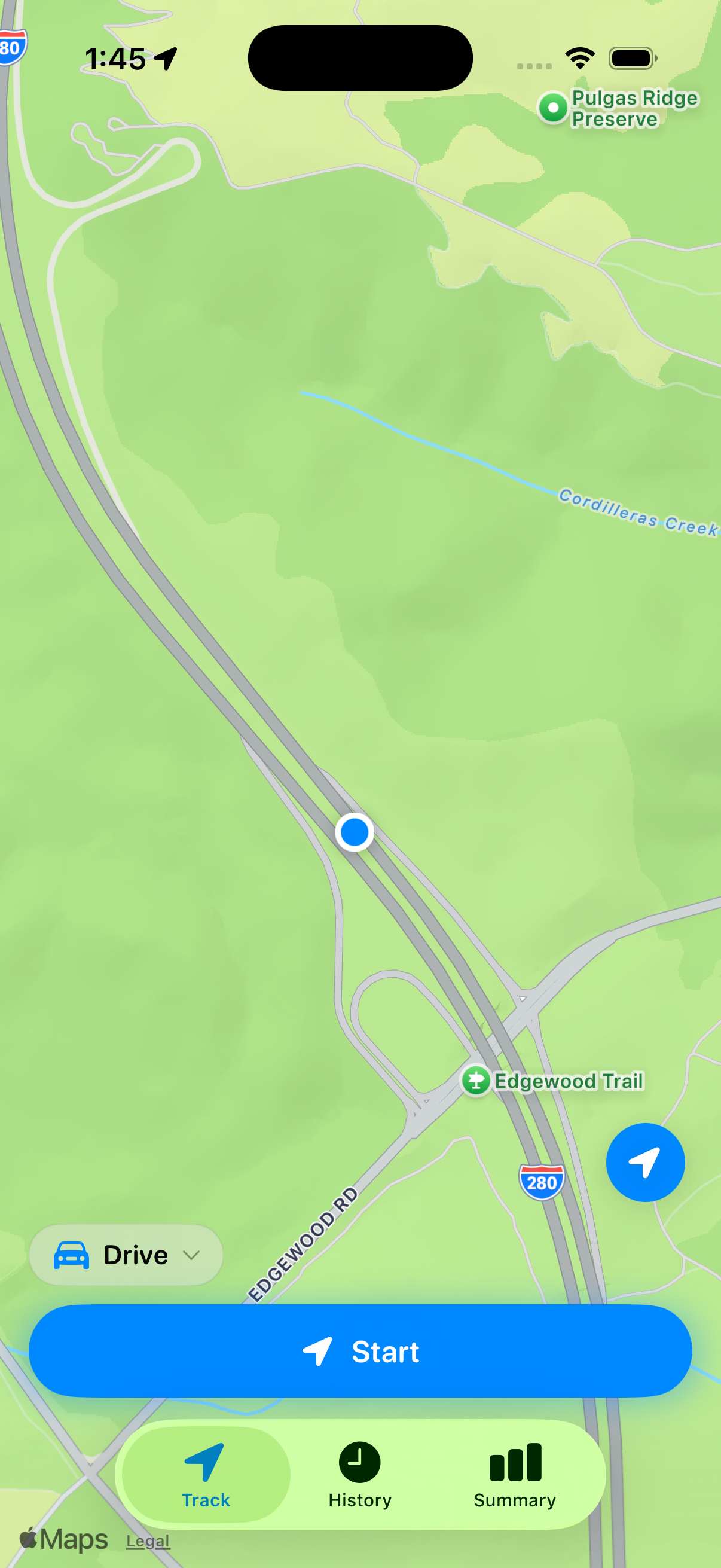
Start. Move. Done.
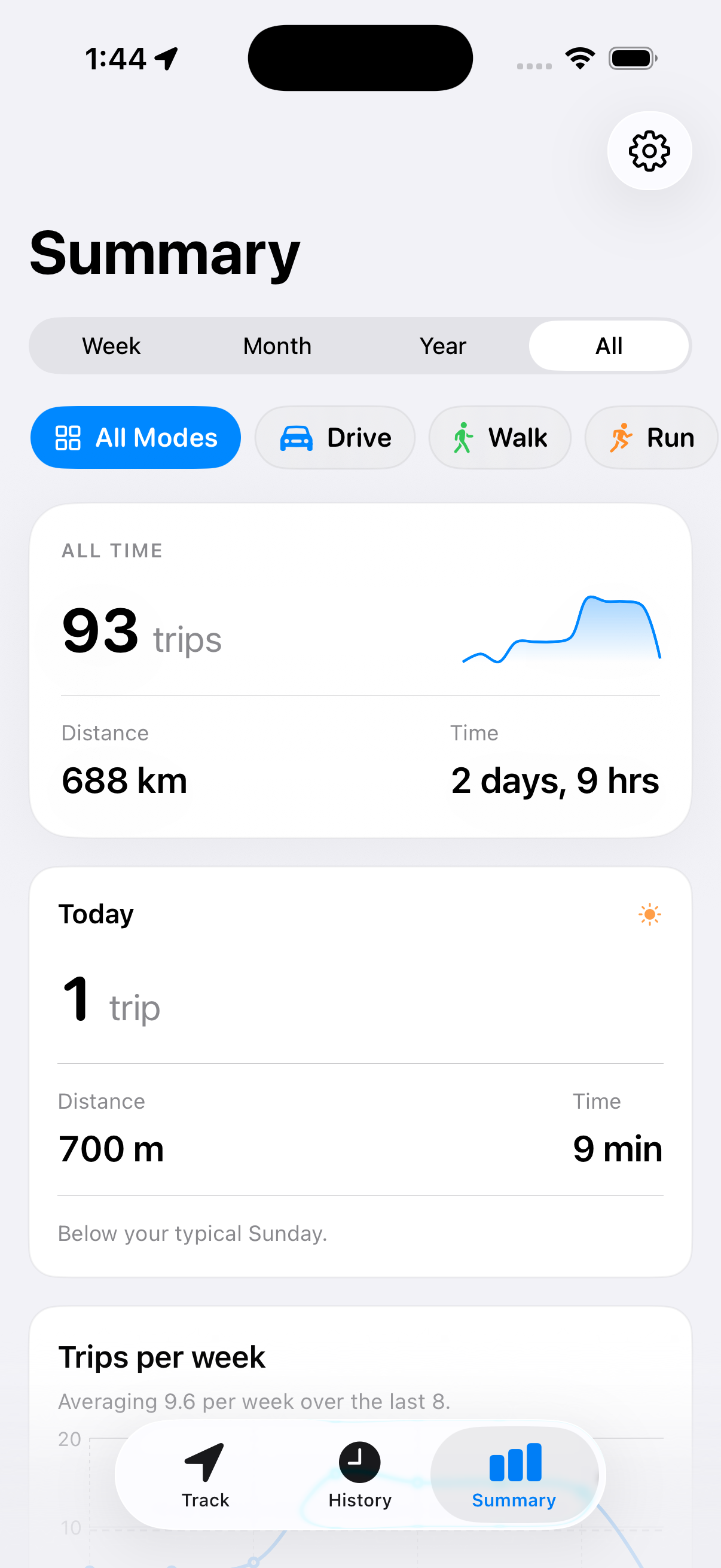
Commute records your route, distance, and time in the background while the trip is active. Lock your phone, put it in your pocket, and stop the trip when you arrive.
Trip context
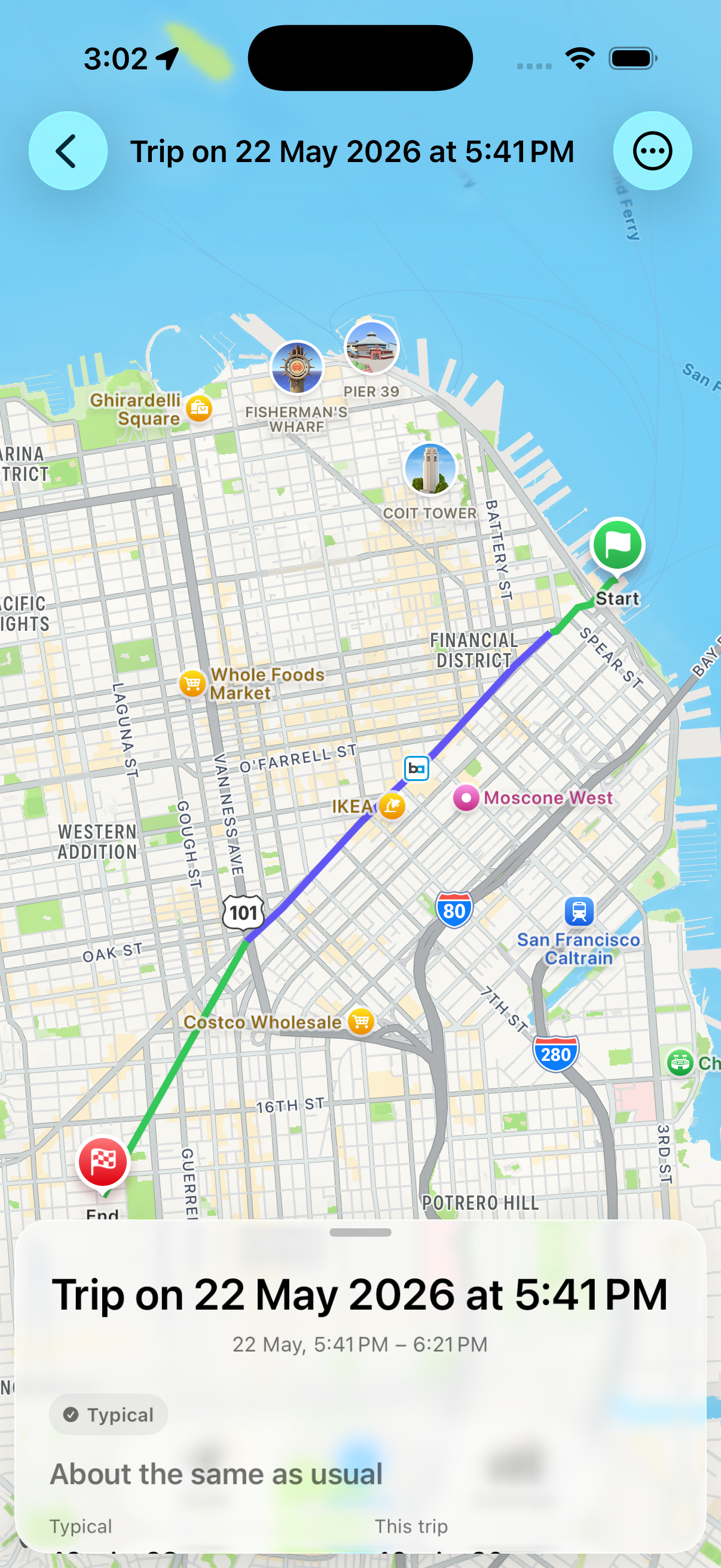
See whether today was typical.
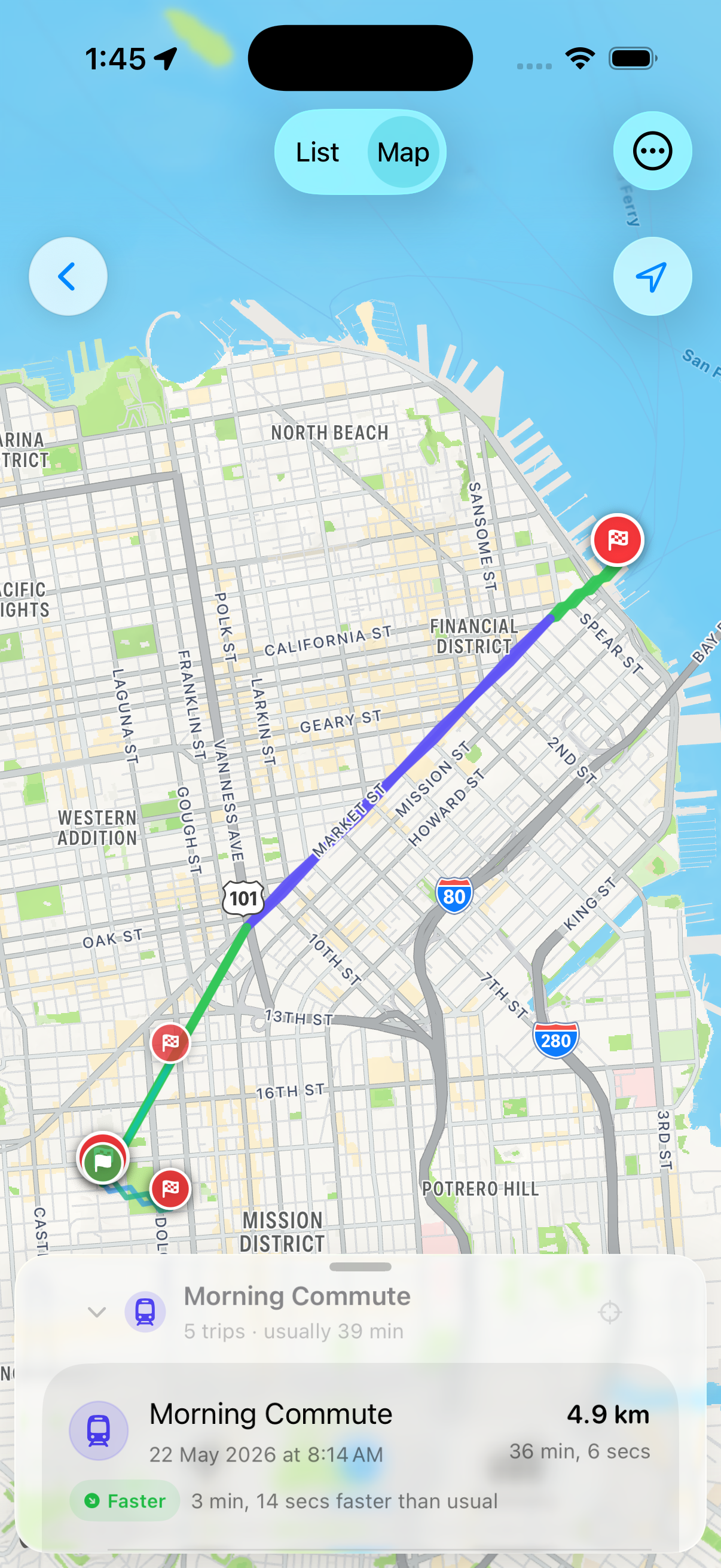
After a trip ends, Commute shows how that run compares with your own history for the same route. Faster than usual, about normal, or a little slow becomes visible immediately.
History
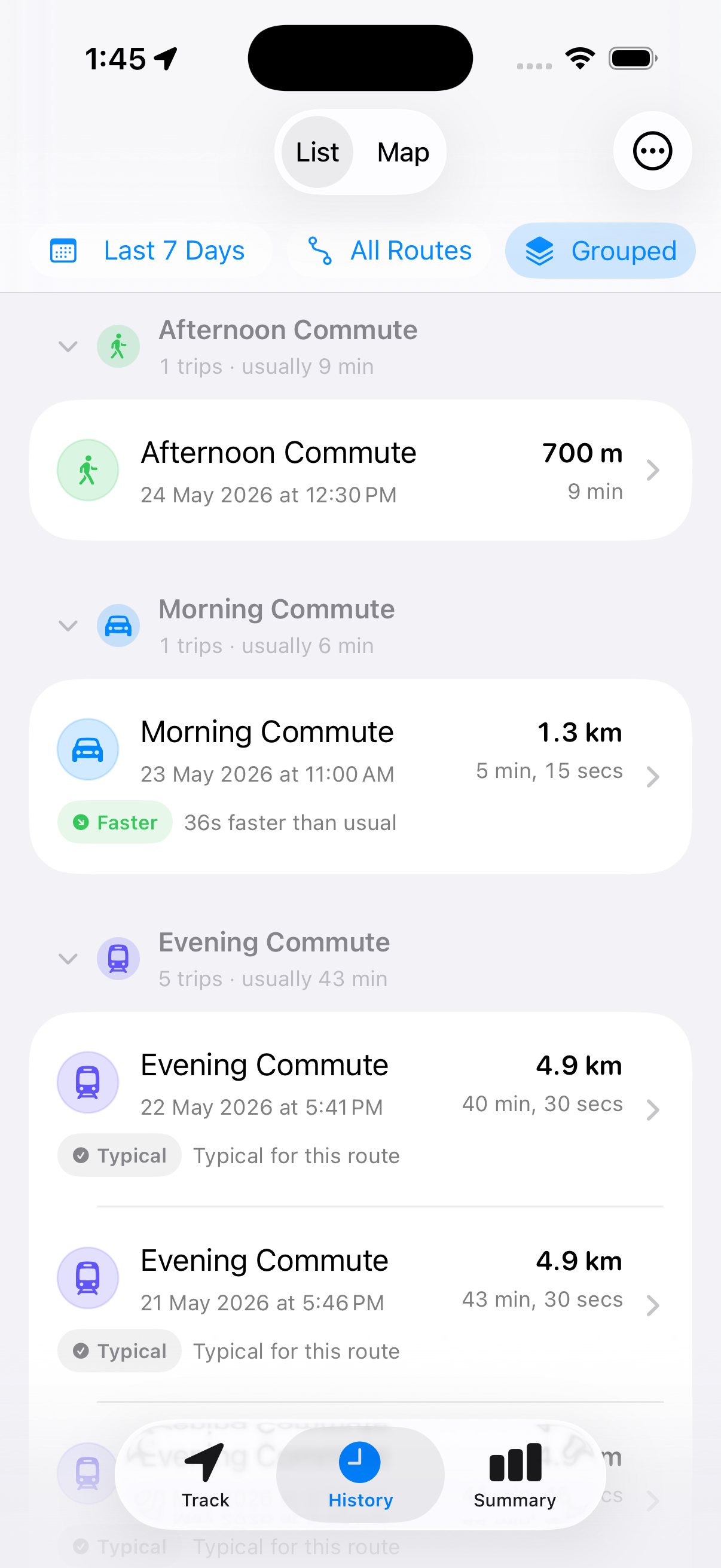
Every repeat route gets its own memory.
Morning Commute, Evening Commute, weekend bike rides, walks, runs, and bus trips stay organized around how you actually move.
Preferences
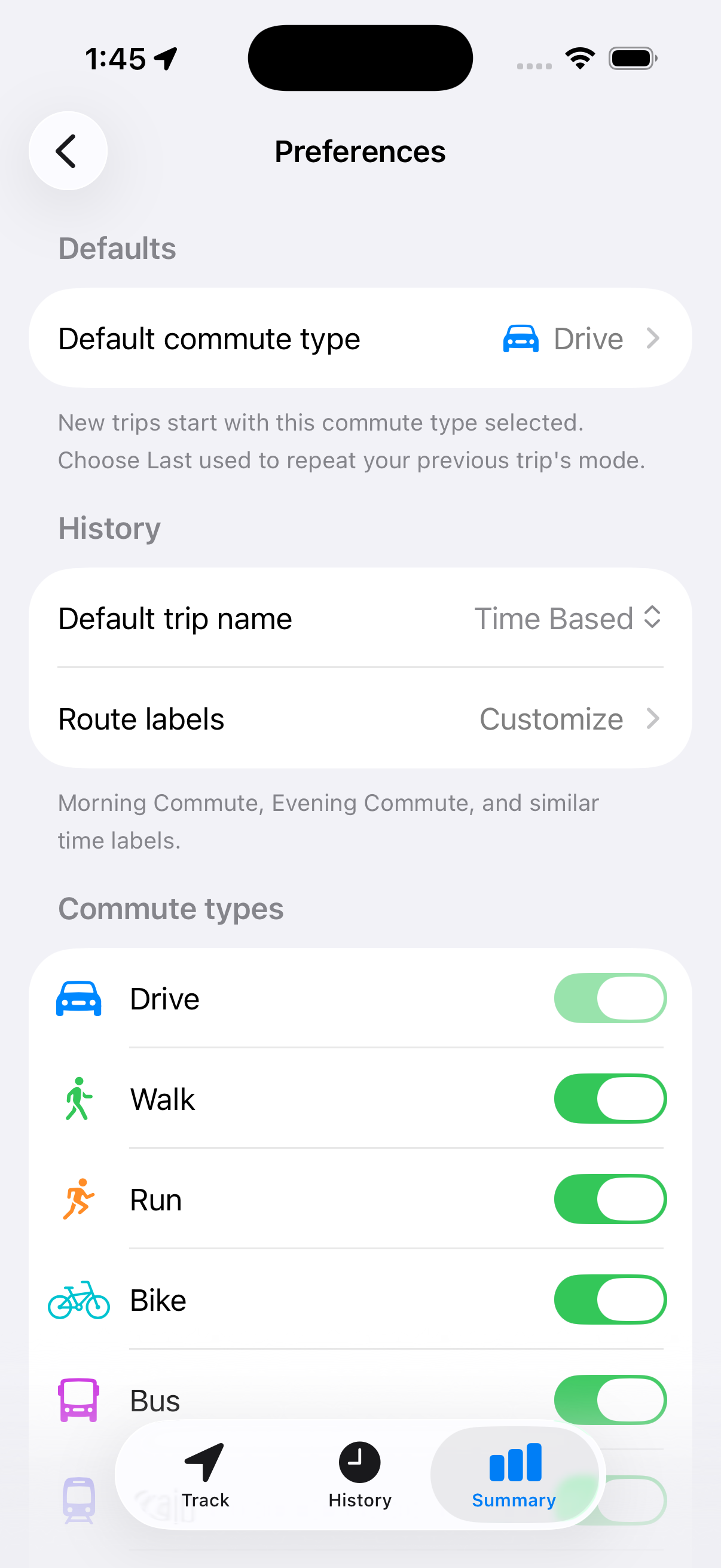
Keep only the modes you use.
Drive, walk, run, bike, bus, or mix them. Turn on what belongs in your routine and leave everything else out of the way.
Privacy
Your location history stays yours.
Commute records location only while a trip is active. Data stays on your device and, if iCloud is enabled, in your private iCloud database.
- No account required
- No ads or analytics SDKs
- No external servers storing your trips
- Private iCloud sync when enabled
Commute: Trip Tracker is coming soon for iOS 26.